
CubIA · by Neodigit
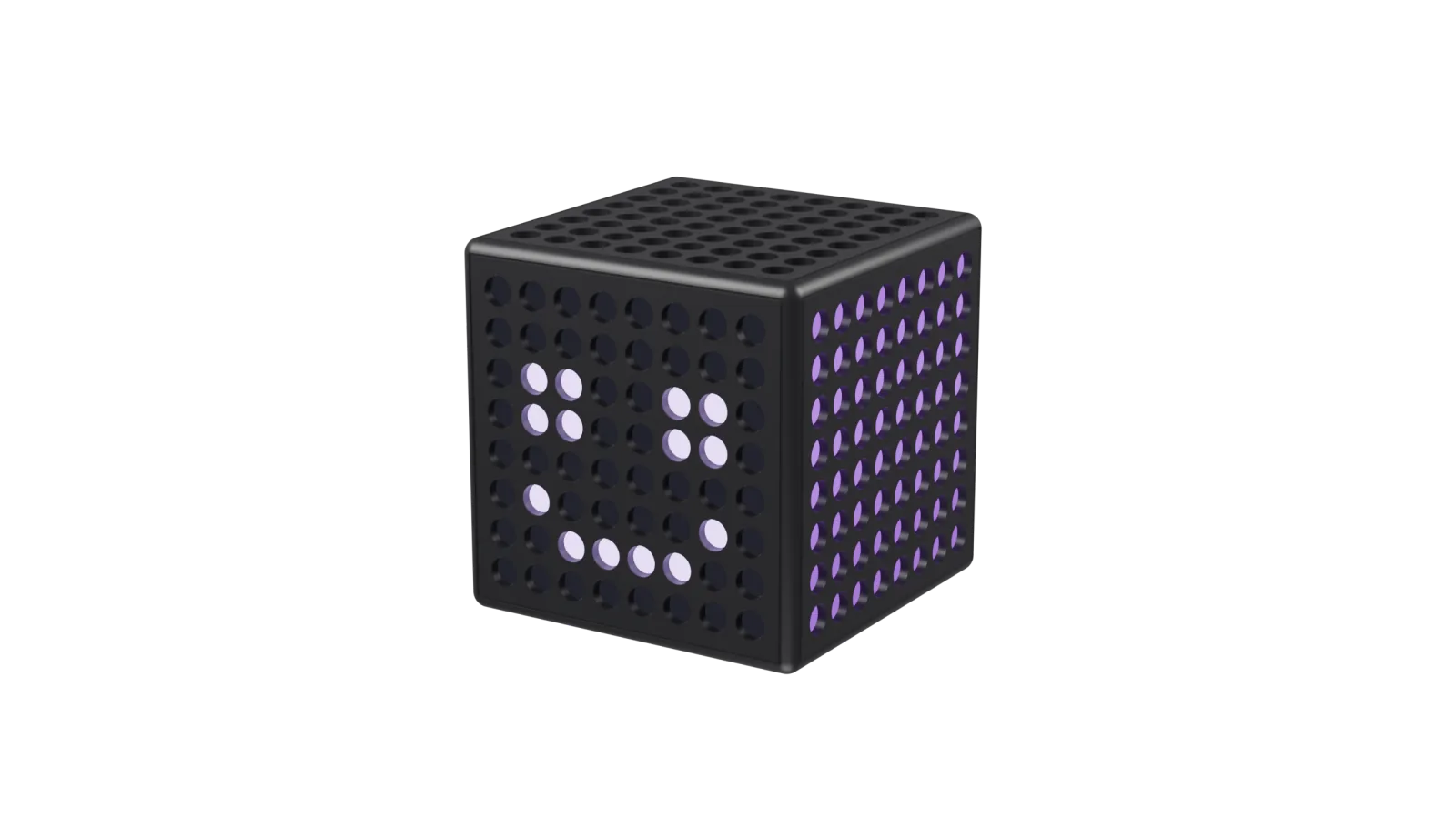
A cube with a face.
A desk LED cube. Plug it in: it smiles, blinks, thinks. Soon, it will show what your AI agents are doing.
Assembled, ready to plug in. Price not announced.
A face made of pixels.
Eight by eight, at the bottom of small holes. Off, they stay dark. On, they stand out cleanly.
Four faces of light.
256 LEDs across four faces: front, top, left and right. Every part has its place.
One cable.
One USB-C in the base, that’s it. The cube adjusts its brightness to the charger it is plugged into.
Three buttons you can’t see.
On the back, three touch zones behind the wall: minus, mode, plus. No moving parts.
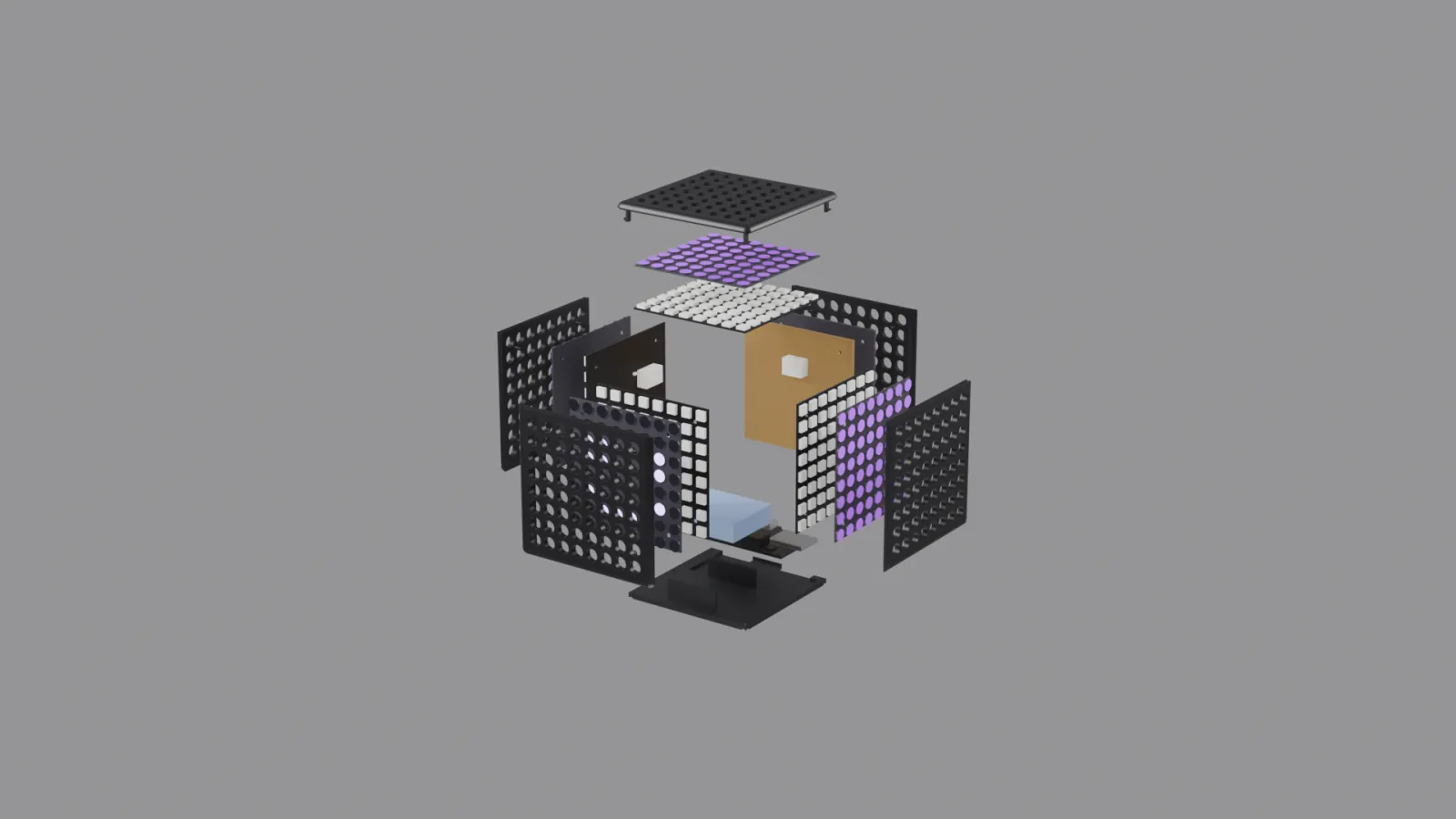
A face made of pixels.
Eight by eight, at the bottom of small holes. Off, they stay dark. On, they stand out cleanly.
Four faces of light.
256 LEDs across four faces: front, top, left and right. Every part has its place.
One cable.
One USB-C in the base, that’s it. The cube adjusts its brightness to the charger it is plugged into.
Three buttons you can’t see.
On the back, three touch zones behind the wall: minus, mode, plus. No moving parts.
Try it
Alive the moment you plug it in.
256 LEDs, four sides, one face.
This cube plays the real CubIA program: every frame comes straight from the firmware. Spin it, tap “mode” to change animation, “minus” and “plus” for the light.
Animations exported from the CubIA firmware, frame by frame.
Drag to spin it
Loading animations…

Pixels at the bottom of small holes.
Eight by eight on every face, behind a smoked diffuser. Off, they stay dark. On, they stand out cleanly.

One cable.
One USB-C, that’s it. No app needed for it to come alive. The cube adjusts its brightness to the charger it is plugged into.
A battery version, cable-free, is being considered. Tell us in the form if you’d want one.

Three buttons you can’t see.
On the back, three touch zones: minus, mode, plus. Touch to set brightness (5 levels) or switch animation. Long press on mode: sleep. No moving parts.
- Touch “minus” or “plus”
- Brightness, 5 levels
- Touch “mode”
- Next animation
- Long press on “mode”
- Sleep and wake
- Swipe from “minus” to “plus”
- Next animation, in one gesture
In development
Soon, the face of your agents.
CubIA is the character from our video about 8 AI agents. Each one has its own glyph, already drawn for the cube’s face.
- Strategy
- Finance
- Accounting
- Sales
- Prospecting
- Offers
- Projects
- Admin
What you will see, eventually
- ThinkingThe orb spins
- DoneThe smile comes back
- Waiting for youIt looks at you
The goal: connect the cube to your agents (Claude Code and others) to show live whether they are thinking, finished, or waiting for your answer. That link does not exist yet. Today, the thinking orb is already animated. The rest is in progress.
Keep me posted
Quick facts.
- Size
- 80 mm per side
- Pixels
- 256 RGB LEDs, 4 faces of 8 × 8
- Power
- USB-C, 5 V
- Controls
- 3 touch zones on the back
- Brightness
- 5 levels
- Animations
- 7, plus the default program
- Sound and sensors
- No microphone, camera, speaker or fan
- Subscription
- None. No account, no cloud
- Delivery
- Assembled, ready to plug in
Be the first to know.
Leave your email. We will write when preorders open, not before.

Questions.
Does CubIA work with Claude Code right now?
No. The link with Claude Code and other agents is planned and in progress. Today the cube runs on its own: face, animations, thinking orb.
What is it for today?
A living desk object: a face, animations, adjustable brightness. The agent features come next.
Is there a subscription?
No. No subscription, no account, no cloud: not for the cube, and not for the future link with your agents.
What do I need to use it?
A USB-C cable and a charger. No app is needed for it to come alive.
Does it listen or film?
No. It has no microphone, no camera and no speaker.
Is it bright or noisy?
It has 5 brightness levels set by touch, and a sleep mode on long press. It is silent: no speaker, no fan.
Which charger should I use?
A common USB-C charger works. On a weak source, the cube lowers its own brightness to stay within the charger’s limits.
Is there a cable-free version?
A battery version is being considered. Tick the box in the form if you’d want one: it helps us decide.
How much is it and when does it ship?
Price and date are not announced. The waitlist tells you first.
Is it an assembled cube?
Yes: ready to plug in, no assembly on your side.